Swiftgrove
 Git for WSL,
finally fast.
A blazing fast, friendly Git client, with first‑class WSL support.
Built for WSL
Git runs inside WSL, where your project lives.
Most Git clients reach into WSL from Windows, through a file share. Swiftgrove runs Git inside WSL itself, so your projects open quickly and Git uses your own WSL settings, as in your terminal.
Why Swiftgrove is built for WSL →The whole picture
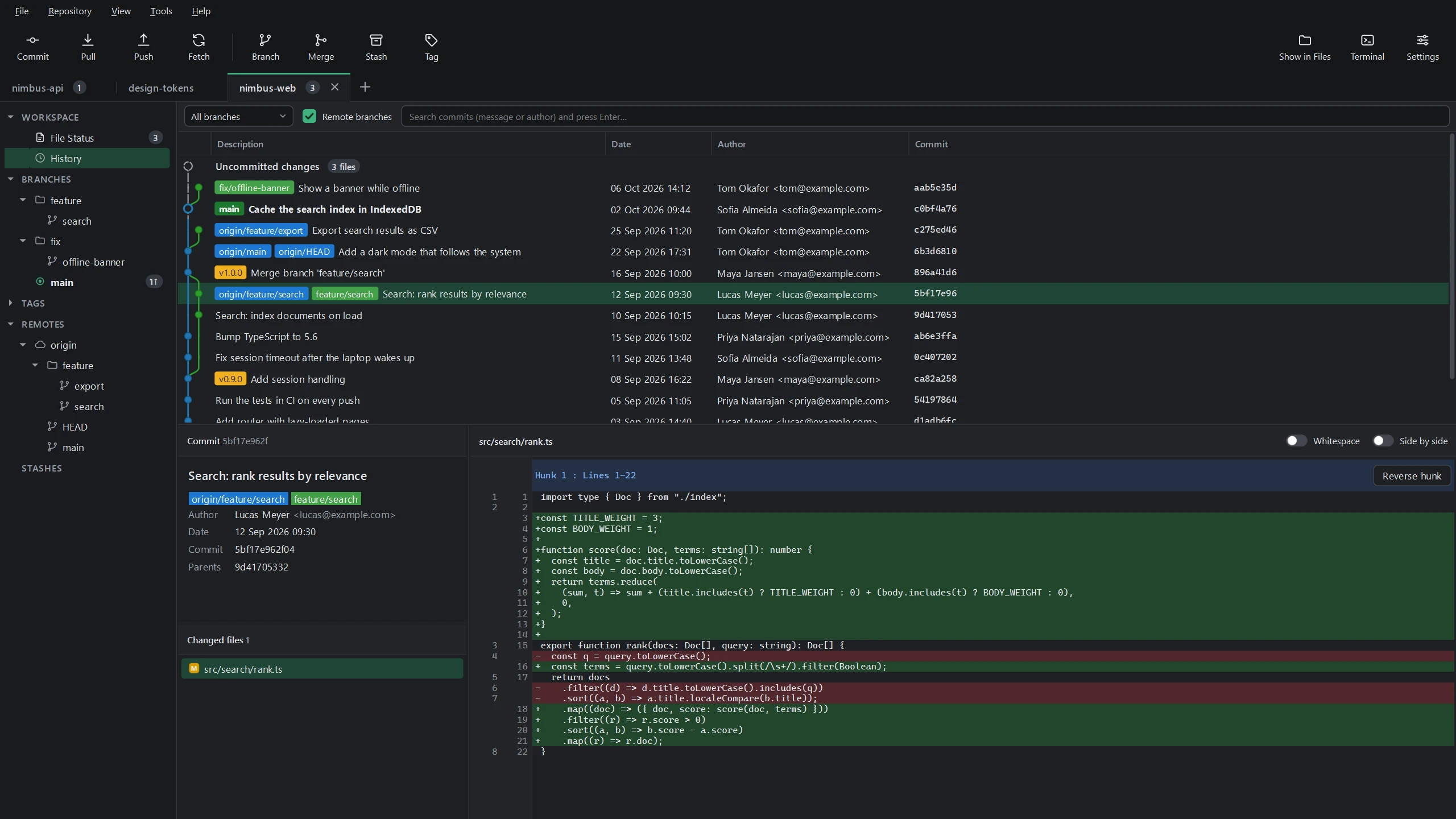
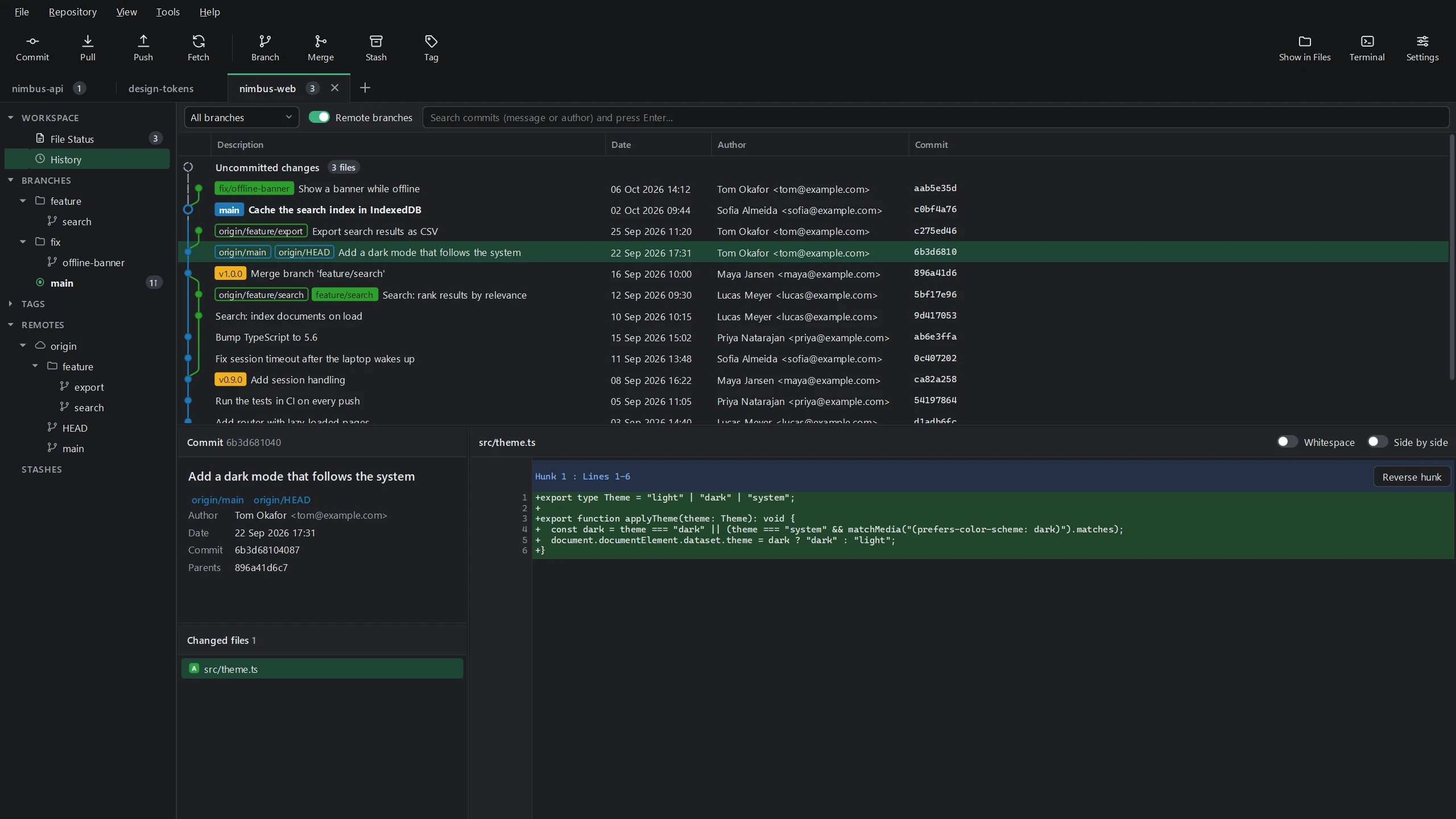
See at a glance where every branch is.
Each branch keeps its colour from the line in the graph to its label: your own branches filled, the server's outlined. When the two labels sit side by side, you're in sync; when they don't, you see who's ahead.
- Fetches quietly in the background, so the overview keeps up with the server
- Ahead and behind counts next to every branch
Like your terminal
Hooks and SSH, as in your terminal.
Git hooks find the same tools as your terminal, Node from nvm for example, and SSH uses your ssh-agent. While a hook runs, you see what it prints, and Cancel stops it, hook and all.
Careful with your projects
It asks before a repository runs programs.
A repository from someone else can carry settings or hooks that run programs. Swiftgrove looks before it opens one, and asks whether you trust it first.
Merge conflicts
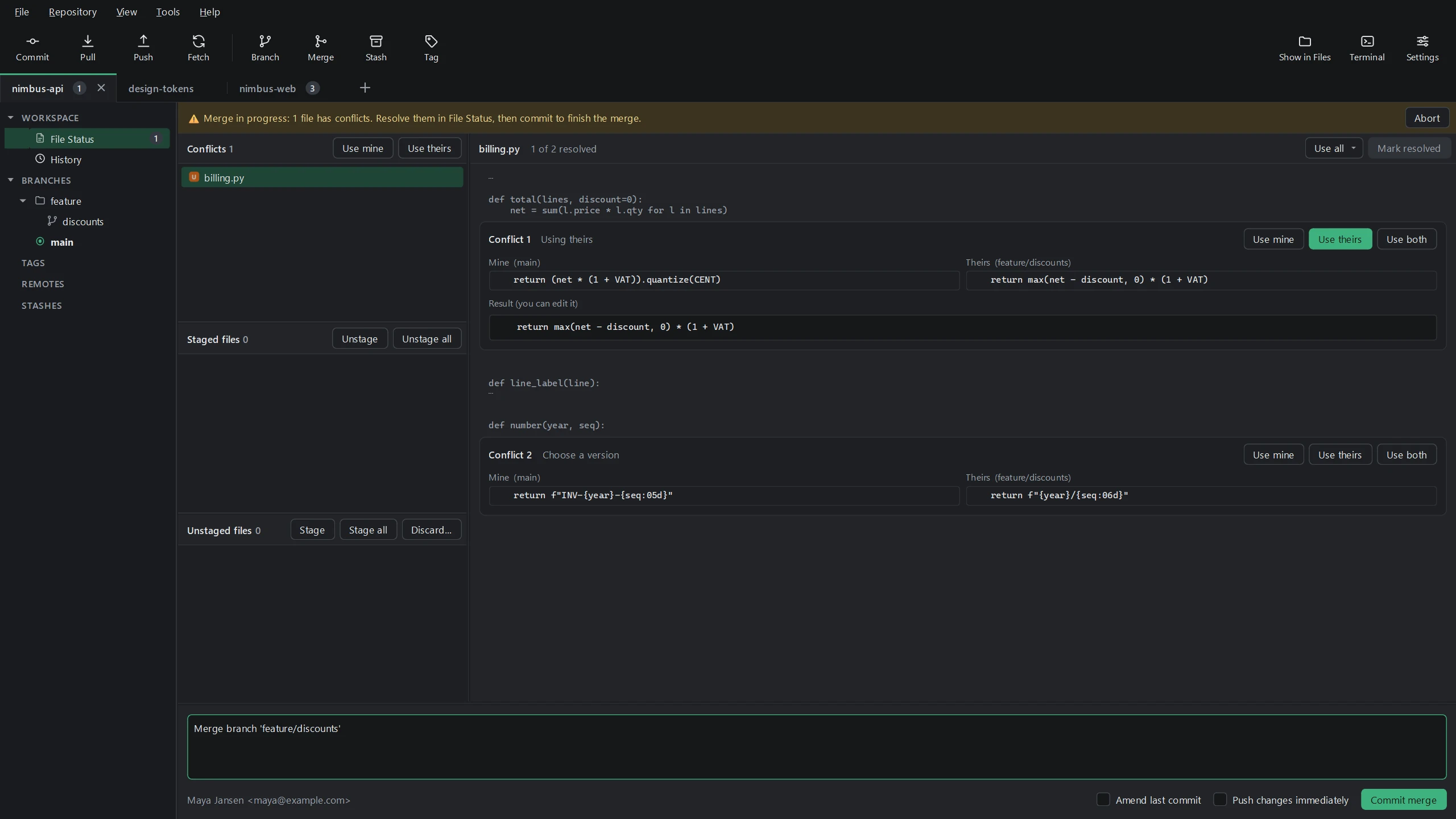
Your version and theirs, side by side.
When two changes clash, Swiftgrove shows both versions next to each other. Per conflict you use yours, theirs or both, and adjust the result if needed.
- “Mine” is always your work, also during a rebase
- A warning when conflict markers are left in a file